
Everything You Need To Know About DVD+RW
This article has been just updated:
We will make an assumption at the beginning of this article that most, if not all, of our readers have seen and perhaps even made use of a DVD. To further your knowledge of these convenient and versatile form of optical storage, we are going to take a deep dive into the technology that makes the DVD possible. We will look into the history of the media and investigate the different formats in which these disks are manufactured.
Society as a whole is fascinated with moving pictures as a means to provide entertainment and educational opportunities. This attraction has led to numerous technological developments designed to make it easier for the general public to enjoy movies.
In the early days of cinema, your only option was to go to a movie house or theater to watch the film as it was projected onto a large screen. Television brought the moving picture into our homes, but we were subject to the tastes of the executives charged with programming to supply our viewing options.
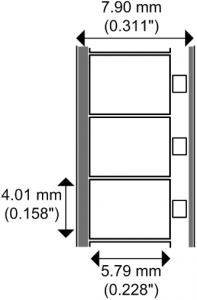 In the mid-1960s, Super 8mm film was introduced and allowed users to record their own films as well as watch commercially produced titles in the comfort of their homes. It was followed in the 1970s by the analog tape technologies of the VHS and Betamax formats. They battled for superiority with VHS scoring a major victory and vanquishing Betamax to the discount bins.
 Laserdisc technology debuted for public consumption in the late 1970s. Due to a number of factors including cost, capacity, and durability, laser discs never threatened the VHS tape market. They were, however, the precursors of today’s DVDs.
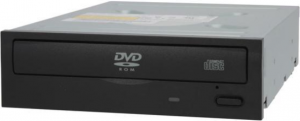
DVD stands for Digital Versatile Disk or Digital Video Disk. They are discs used for storing digital data that is read by a laser in a DVD drive. DVDs are similar in size to a CD but are capable of storing much more data, as we will explore shortly. DVDs have supplanted other types of media and become the most widely used method of distributing movies and other digitally stored information. Many computers and laptops come equipped with a DVD RW drive capable of reading and writing to these ubiquitous discs.
The discs are constructed using plastic and metals, with the main ingredient being oil-based polycarbonate plastic. A thin metal layer forms the most critical component of the disc as it is used to reflect laser beams in order to read its data. This layer is made of aluminum and trace amounts of laser reflecting gold.
A typical DVD is 120mm in diameter and measures 1.2 mm in thickness, the same dimensions of a CD. Data is stored in pits in the metal layer on a spiral track and are read by lasers. Tracks on a DVD are more closely spaced than in a CD with a 0.74-micron distance between tracks. Pit length is also reduced which increases the capacity of a DVD. The wavelength of the laser used to read the disc is also reduced, contributing to its ability to hold more data than a CD.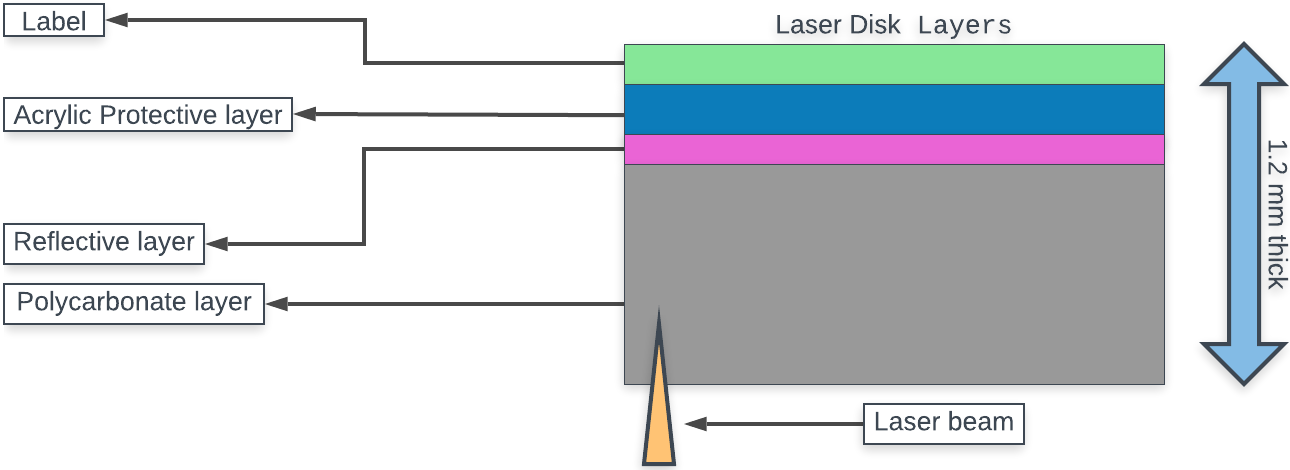
Other contributing factors to the extended capacity of DVDs include the multiple layers and two-sided nature of the discs. Adjusting the focus of the laser used to read the disc allows a second translucent layer to provide more storage capacity. As a result of attempts to focus the laser on smaller pits, thinner discs were used that were only half as thick as a standard DVD.
These were found to be too thin to be viable on their own but bonding two of them together essentially created the two-sided DVD. Lastly, DVDs use a more efficient error correction code that enables more usable data to be encoded on each disc than on CDs.
Let’s look at the different formats that a DVD might employ. The major distinction is in whether the disc is rewritable or is limited to being written to only once.
These two formats are very similar. Both formats are for discs that can be written to only once but read many times. They are both supported by the majority of DVD-ROM drive and DVD burners.
The difference in DVD-R vs DVD+R is in the way the location of the laser beam is determined. A DVD-R disc positions the laser via the use of land prepits which are small marks along the grooves of the disc. DVD+R discs measure the disc’s wobble frequency as the laser travels outward from the center of the disc.
DVD+R is the newer format and was developed by Sony and Philips and introduced in 2002. Pioneer debuted the DVD-R format in 1997. You need to use the proper media depending on the format that your DVD drive employs. There are also hybrid DVD drives that can support either format.
DVD+RW is a rewritable optical storage format created by the DVD+RW Alliance. It is a high capacity format that was developed as a competitor to the DVD-RW format and was introduced in 2001. It is distinguished from the DVD-RW format by its lossless linking system leading to more efficient access to the data resident on the disc.
| Format | Sides | Layers | Capacity |
| DVD-ROM | 1 | 1 | 4.7 GB |
| DVD-ROM | 1 | 2 | 8.5 GB |
| DVD-ROM | 2 | 1 | 9.4 GB |
| DVD-ROM | 2 | 2 | 17.0 GB |
| DVD-R | 1 | 1 | 4.7 GB |
| DVD-R | 2 | 1 | 9.4 GB |
| DVD-R DL | 1 | 2 | 8.5 GB |
| DVD+R | 1 | 1 | 4.7 GB |
| DVD+R DL | 1 | 2 | 8.5 GB |
| DVD-RW | 1 | 1 | 4.7 GB |
| DVD-RW | 2 | 1 | 9.4 GB |
| DVD+RW | 1 | 1 | 4.7 GB |
| DVD+RW | 2 | 1 | 9.4 GB |
The DVD+RW Alliance is an industry group comprised of various manufacturers of optical storage, software, and electronic hardware that was formed in 1997 to promote the DVD+RW format. Its goal was to develop a more compatible format than that of the DVD-RW format championed by the DVD Forum.
Some of the major corporate entities that make up the Alliance are Dell, Sony, Ricoh, and HP. It is a voluntary organization and its membership is subject to change. They hope to make the DVD+RW and DVD+R formats industry standards for DVDs. The Alliance works in two separate groups called the DVD+RW Product Promotions Group and the DVD+RW Compatibility and Convergence Group.
Now you hopefully know more about DVDs than you did at the start of this article. Even with the new streaming options available through which we can access content, DVDs show no sign disappearing anytime soon. You may have a large collection that at some time will outlive its usefulness.
There are organizations such as the Salvation Army and retailers like Best Buy that will accept DVDs and CDs for recycling, which is a better option than simply tossing them away when you are finished with them.
We encourage you to go this route if possible when disposing of your old discs. It’s a simple way to be part of the solution.